
The M4B file format at a glance
| Property | M4B |
|---|---|
| Extension | .m4b (the “b” stands for book) |
| Container | MPEG-4 Part 14, the same family as .m4a and .mp4 |
| Audio | AAC, lossy, usually 64 to 128 kbps for speech |
| Chapters | Named markers with start times, stored inside the file |
| Cover and tags | An embedded JPG or PNG cover; title, author, narrator, genre, description |
| Copy protection | None in the format itself; some store downloads add their own |
| Typical size | About 29 MB per hour at 64 kbps |
| Opens in | Apple Books, BookPlayer, Smart AudioBook Player, VLC, Audiobookshelf and most audiobook apps |
What is an M4B file, technically?
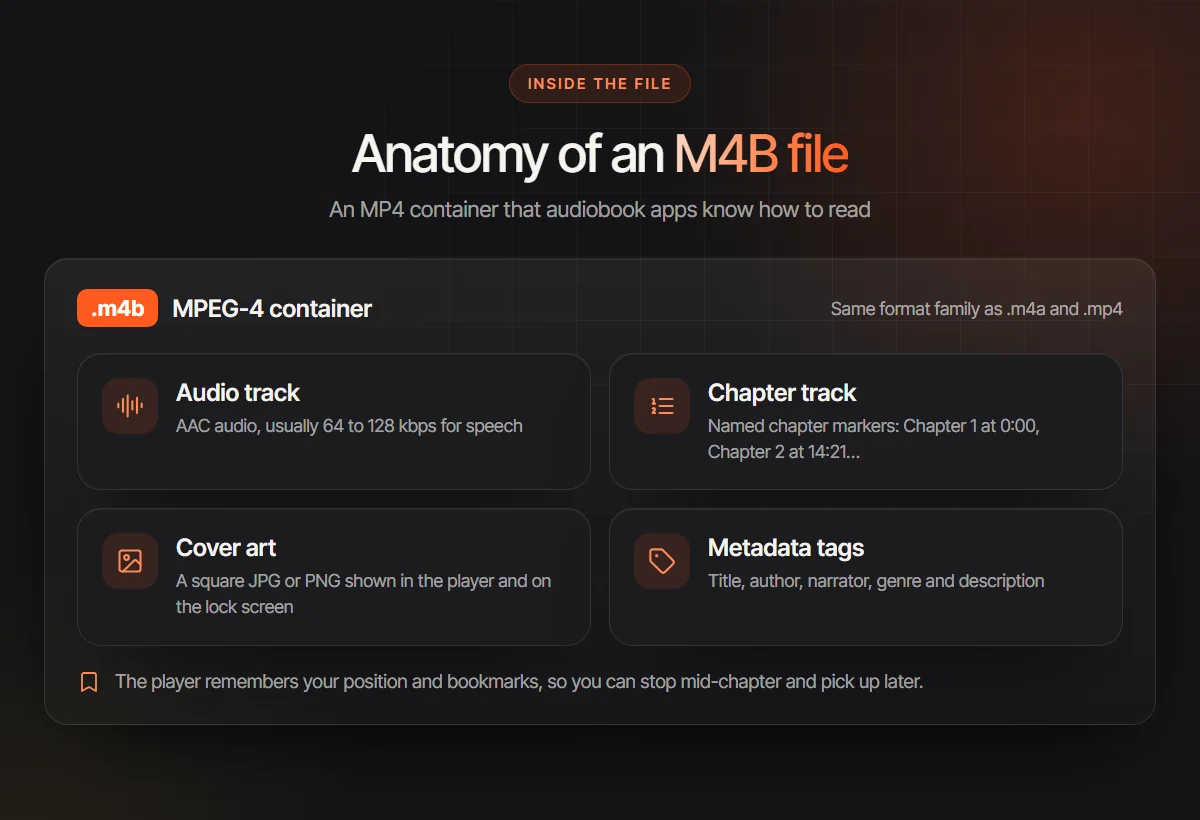
Technically, an M4B is an MPEG-4 audio file, built on the same container as M4A music files and MP4 video. Apple popularized the extension so that iTunes and iPods would treat a file as an audiobook rather than a song. The audio inside is AAC, a newer codec than MP3 that is noticeably more efficient for a speaking voice.
What makes it a book is the extra data packed around the audio. A chapter track lists named markers such as “Chapter 7: The Crossing” with their start times. Cover art is embedded as an image, and metadata tags carry the title, author, narrator, genre and a description. Because the extension tells players what kind of file it is, they keep it out of the music shuffle and show it in the audiobook library instead.
One detail surprises people: your listening position and bookmarks are not written into the file. The player stores them. That is why the same M4B can be at chapter 3 on your phone and at chapter 9 on your laptop.
Why audiobooks use the M4B format
One file per book
A 12 hour novel is a single download to copy, back up or move to a new phone, not a folder of forty tracks.
Named chapters
Listeners jump straight to “Part Two” from a chapter menu instead of scrubbing through hours of audio.
A saved place
Audiobook apps remember the exact second you stopped, offer bookmarks and can set a sleep timer to the end of a chapter.
Cover and credits
The cover appears on the lock screen and in the library, with author and narrator shown from the tags.
Smaller files
AAC at 64 kbps mono sounds broadly as clear for speech as MP3 at a higher bitrate, so a long book takes less space.
No music shuffle
Players file it under audiobooks, so a chapter never pops up between two songs on a playlist.
How to open or play an M4B file on each device
Open it in an audiobook app rather than a music player, and the chapters come with it. On iPhone and iPad, BookPlayer imports a file from the Files app, and Apple Books plays M4B audiobooks synced from a Mac. On Android, apps such as Smart AudioBook Player and Voice read chapters and covers. On Windows and Linux, VLC plays the file and lists chapters under its Playback menu. On a Mac, a double click opens it in Apple Books.
If you keep a library at home, Audiobookshelf serves M4B audiobooks to every device and syncs your position between them. App features change, so check the current listing before you install. For step by step instructions on each device, including how to move the file over, see how to play M4B files.
How to make an M4B file
There are three routes, depending on what you start from.
- 1
From chapter MP3s
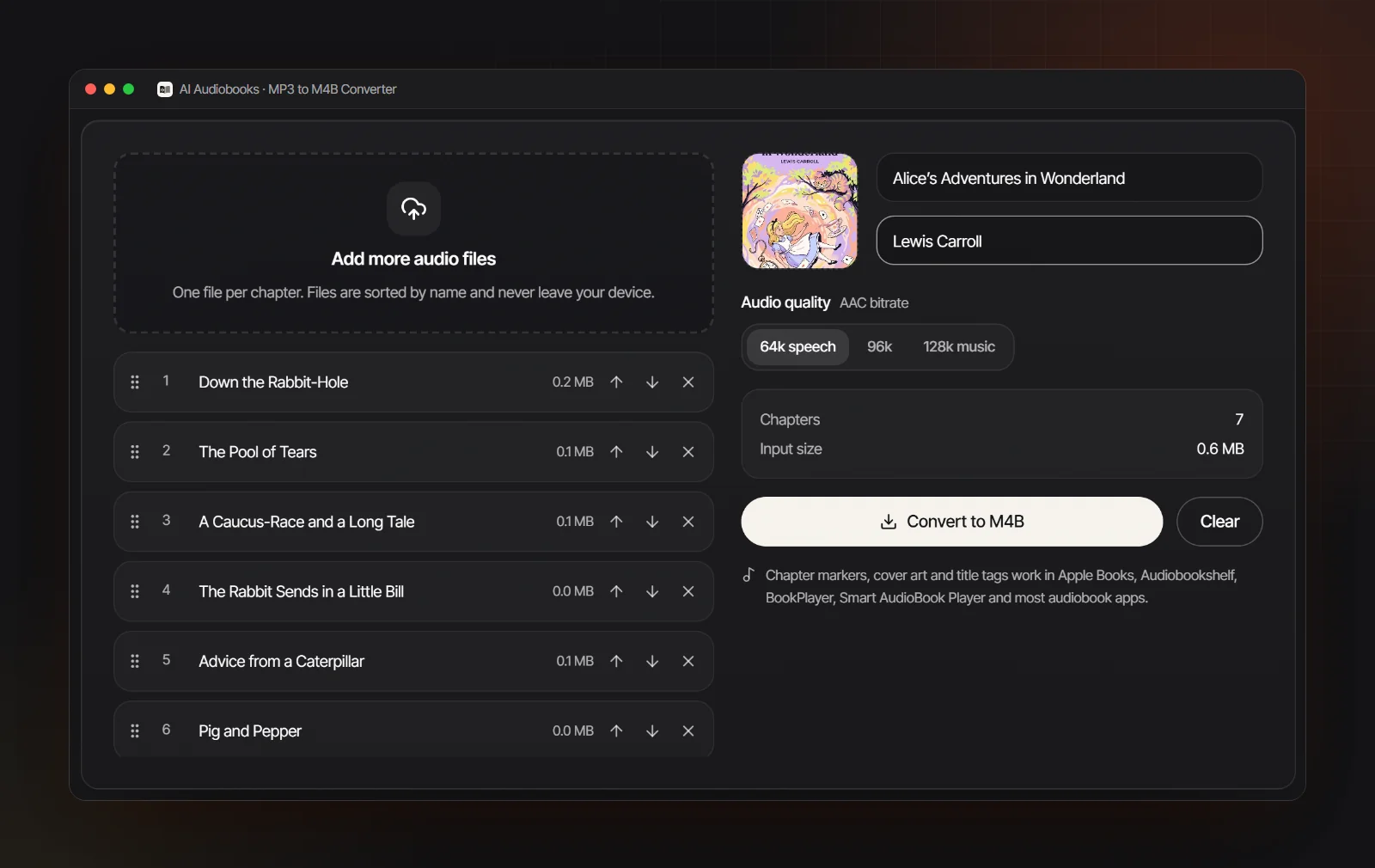
Add one audio file per chapter to the free MP3 to M4B converter, put them in order, rename the chapters, add a cover, title and author, and convert. It runs in your browser, so nothing is uploaded.
- 2
From a manuscript
Upload an EPUB, Word, PDF or text file to the AI audiobook generator. Chapters come from your headings, every character gets a voice, and the export is an M4B with named chapter markers, tags and your cover. The M4B audiobook maker page explains how chapter names are set.
- 3
From an M4A file
An M4A that already holds one whole book only needs a new extension. Rename it to .m4b and audiobook apps treat it as a book; chapters appear only if the file already has chapter markers.
Converting an M4B file to MP3 or another format
To go back to MP3, you split the book at its chapter markers and encode each piece as MP3, which is what a car stereo or an old player needs. That means a second lossy encode, which costs a little quality; copying the AAC audio into separate M4A files instead loses nothing but is not MP3. The audiobook converter guide gives the exact ffmpeg commands for both.
Some players ignore the .m4b extension even though they play AAC. Renaming a copy to .m4a usually makes it play, but most players then treat it as music and may ignore the chapters. Files bought from audiobook stores are a different case: many are protected by DRM and play only in that store’s app, and no format change applies to them.
M4B vs M4A vs MP3 in brief
| M4B | M4A | MP3 | |
|---|---|---|---|
| Audio codec | AAC | AAC (sometimes Apple Lossless) | MP3 |
| Made for | Audiobooks | Music | Everything |
| Chapters | Yes, named markers | Possible, rarely used | Usually one file per chapter |
| Remembers your place | Yes, in audiobook apps | Usually not | Depends on the player |
| Plays on | Audiobook apps and most modern players | Most modern players | Practically every device |
| Typical use | Listening to a whole book | Songs and albums | Car stereos and store uploads |
For which one stores and listeners expect, and when to export both, read M4B vs MP3.
How big is an M4B file? Sizes by bitrate
Audio size depends on total bitrate and running time. These are approximate AAC figures before cover art; a high-resolution image can add more than 1 MB.
| Bitrate | Per hour | A 10 hour book | Suits |
|---|---|---|---|
| 32 kbps | 14 MB | 144 MB | Tiny files; speech stays understandable but thin |
| 64 kbps | 29 MB | 288 MB | Most spoken word audiobooks |
| 96 kbps | 43 MB | 432 MB | Narration with light music |
| 128 kbps | 58 MB | 576 MB | Music, sound design, stereo effects |
| 256 kbps | 115 MB | 1.15 GB | Rarely worth it for a voice |
Rule of thumb: megabytes per hour ≈ kbps × 0.45.
Common M4B file problems and how to fix them
- Windows will not open it. Some built-in players do not recognize the .m4b extension. Open it in VLC, or set an audiobook app as the default for .m4b.
- It plays, but there are no chapters. You are probably in a music player. Try an audiobook app or VLC; if VLC shows no chapter list either, the file has no chapter markers and needs rebuilding from the chapter files.
- It shows up as music. The file is likely named .m4a. Rename it to .m4b and import it again.
- The cover is missing. Some apps cache artwork on first import, so remove the book and add it again. If it still has none, embed a square JPG or PNG; audiobook cover size lists the pixel sizes.
- It will not play anywhere. It is probably a protected store download, such as an Audible AAX file, which only plays in that store’s app.
- The file is huge. It was encoded at a music bitrate. Rebuilding at 64 kbps mono can reduce size substantially, but it is another lossy encode. Audition a speech sample before converting the whole book.
