Quick answer: which converter does which job
Find the file you have and the file you want. The third column names the job, which is what decides the tool.
| You have | You want | The job | Tool to use |
|---|---|---|---|
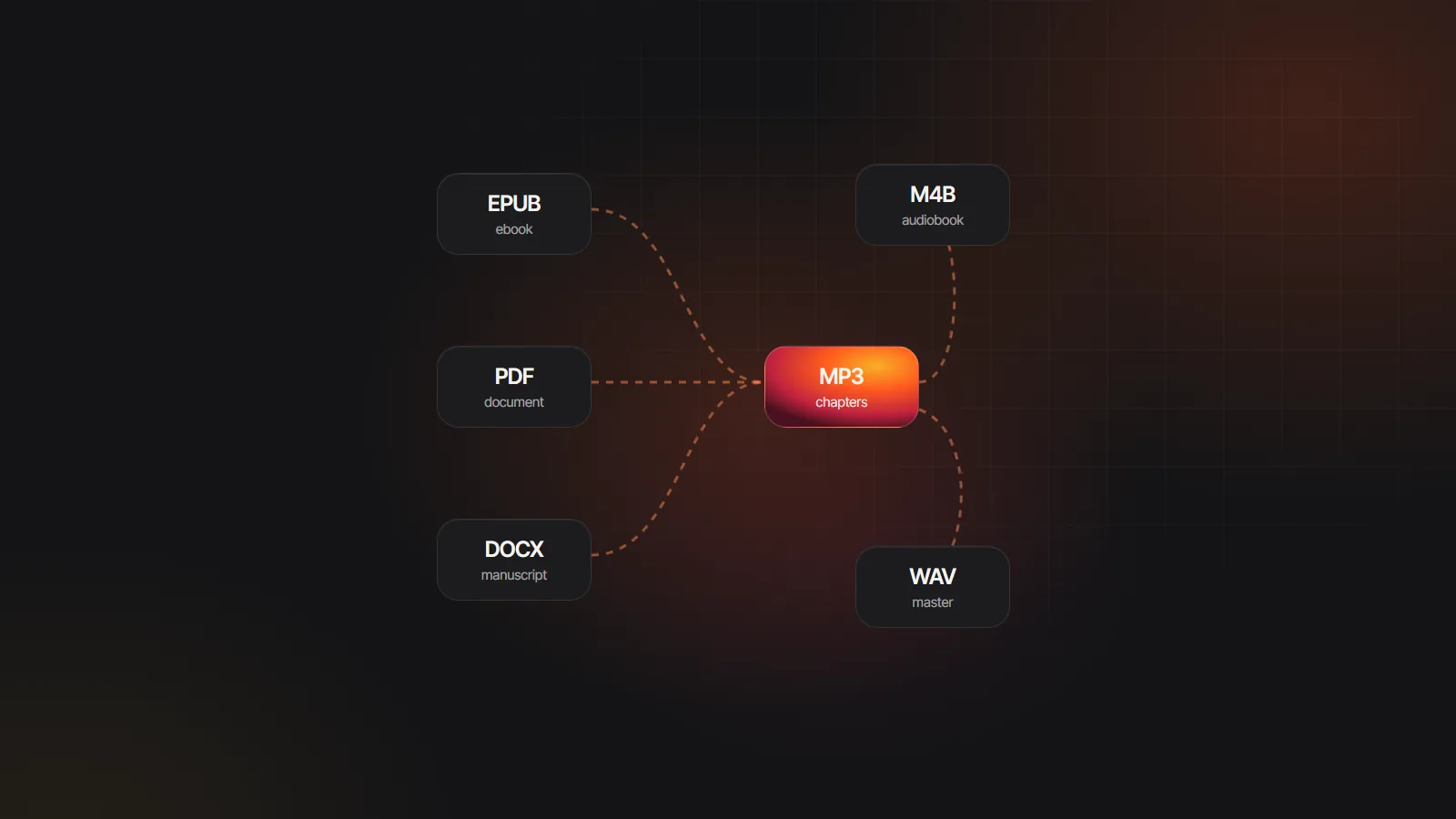
| An EPUB, PDF, DOCX or TXT file | An audiobook in MP3 or M4B | Narration: text to speech, chapter by chapter | An audiobook maker, such as EPUB to audiobook |
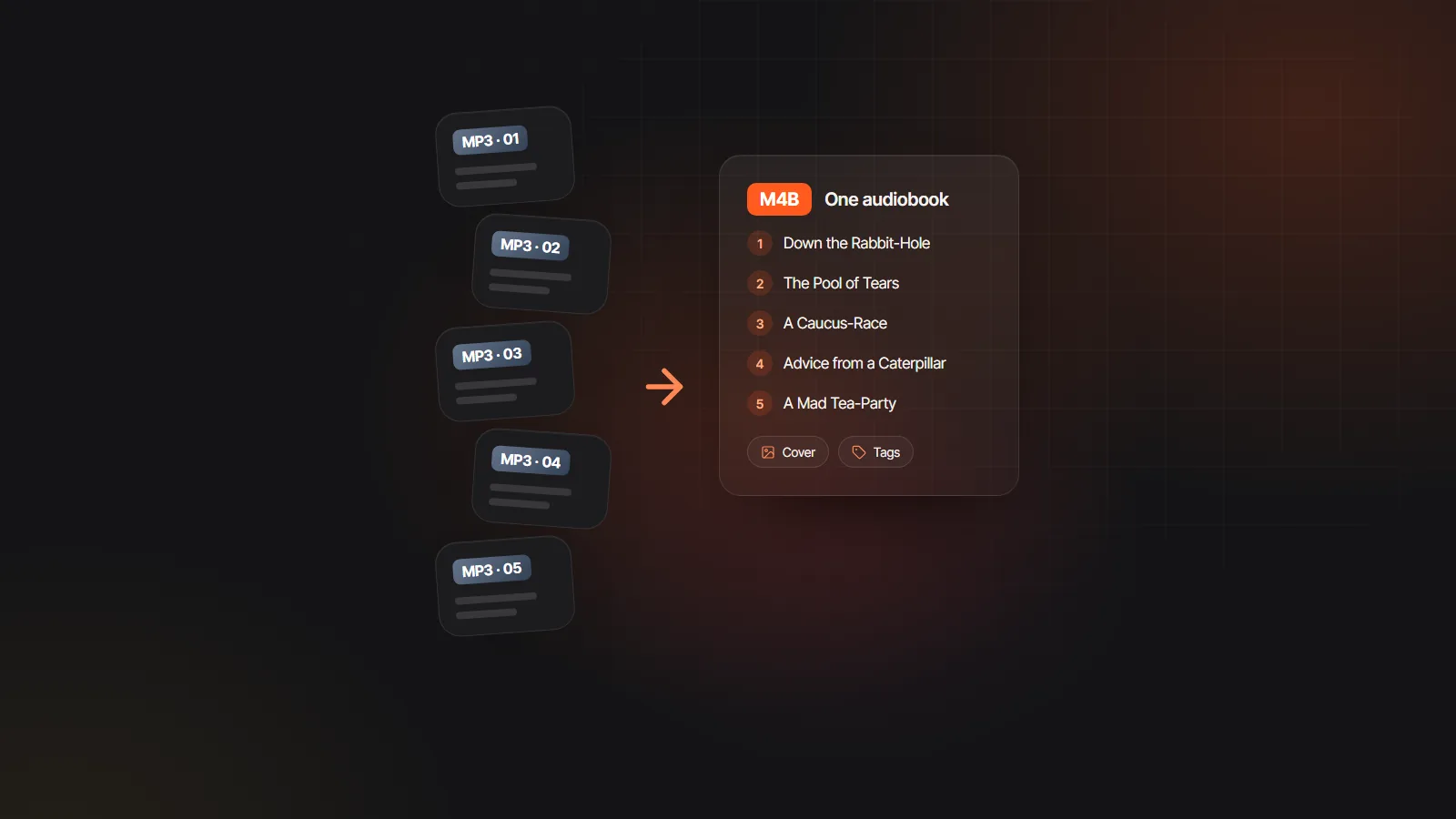
| A folder of chapter MP3s | One M4B with chapters | Binding: AAC encode, chapter markers, cover, tags | The free MP3 to M4B converter, or a desktop binder |
| One M4B | One MP3 per chapter | Splitting at the chapter markers | ffmpeg or m4b-tool (commands below) |
| WAV masters | Smaller MP3s | Compression to a speech bitrate | ffmpeg, Audacity or any audio encoder |
| AAX, AAXC or another store file with DRM | MP3 or M4B | Removing copy protection | Not offered here; listen in the store’s own app |
The conversion map: what turns into what
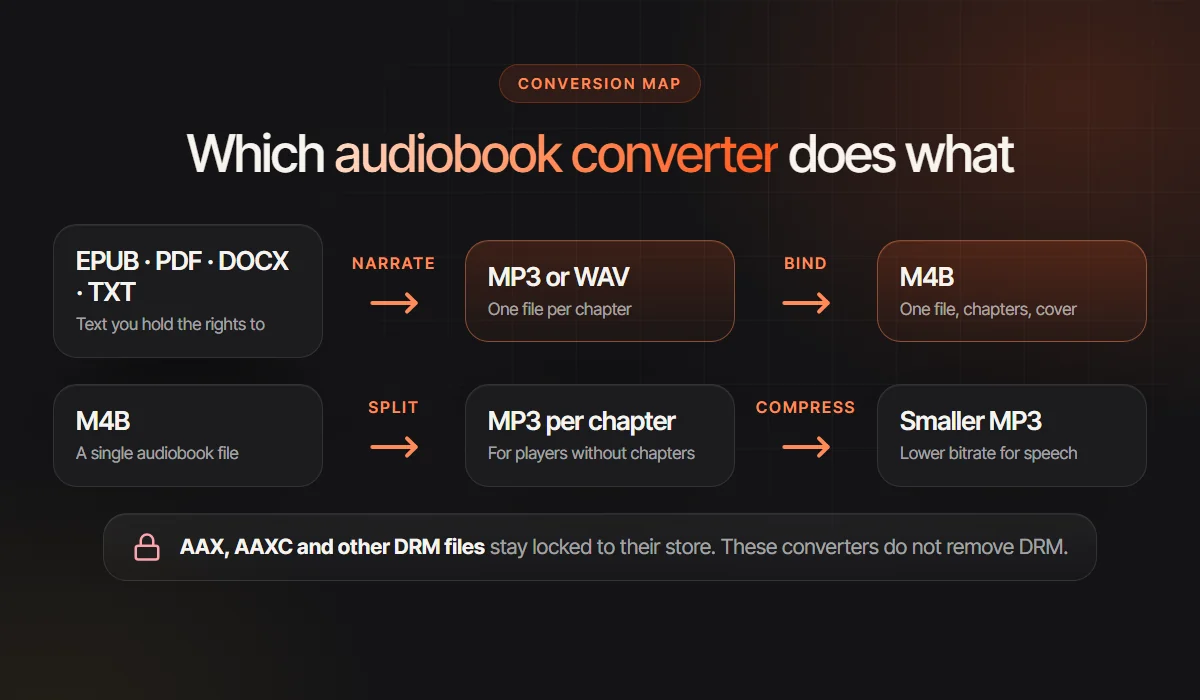
Ebook or document to audio: narration, not file conversion
An EPUB or a PDF has no sound inside it, so no file converter can turn it into an MP3. What you need is narration: software that reads the text aloud and saves the result, chapter by chapter. Search results blur the two, which is why people install a free audio book converter, drop in an EPUB and get an error.
Two kinds of tool do this job. Read-aloud apps speak the text on the spot, usually in one voice, and often leave you nothing to keep. Audiobook makers produce files: chapter MP3s or a single M4B, ideally with a different voice for each character. Apps that turn books into audiobooks tests both kinds side by side.
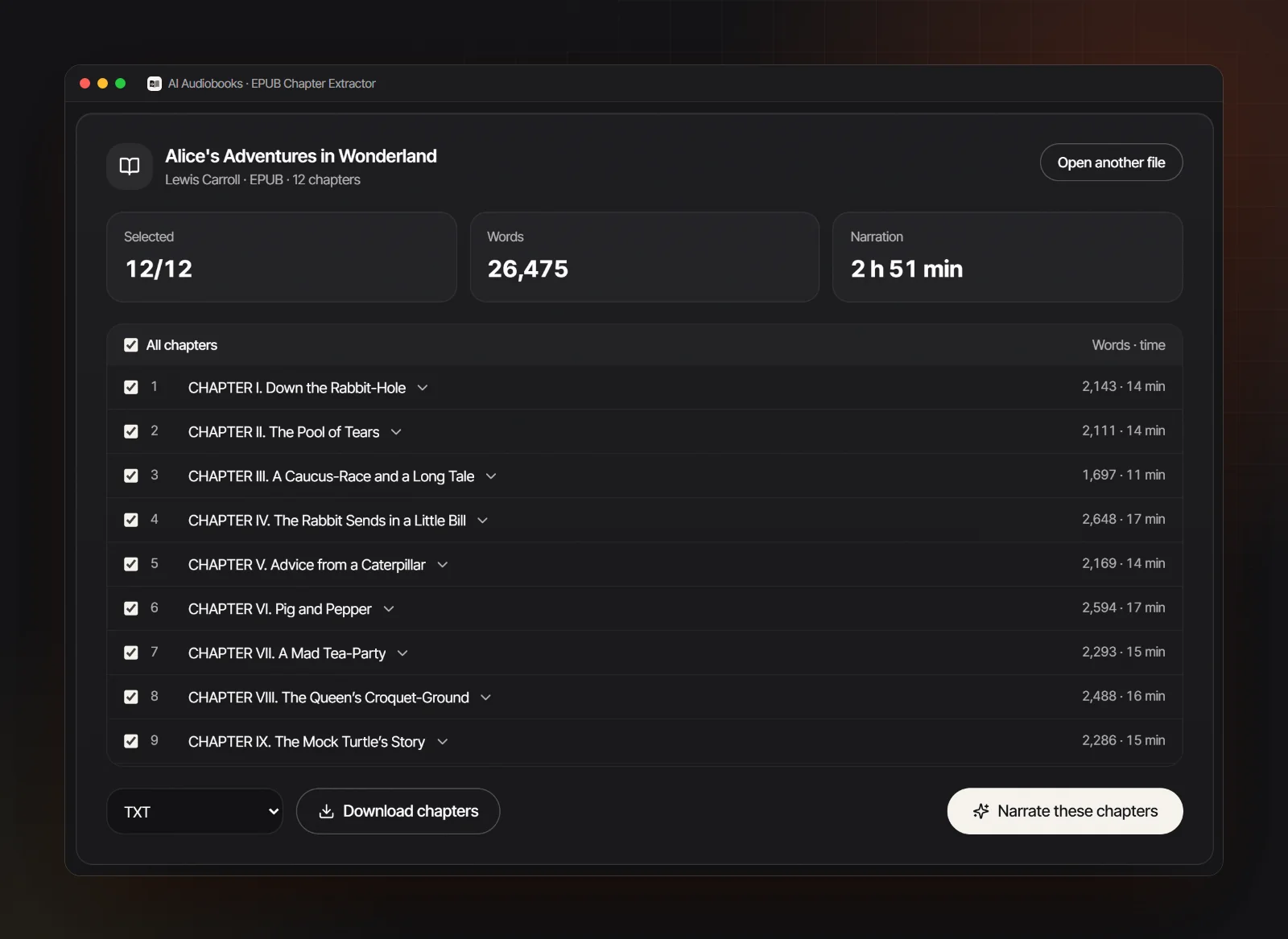
Match the tool to the file. An EPUB already marks its chapters in the table of contents, so it is the cleanest start. A text-based PDF needs page numbers and running headers stripped before narration, which a PDF to MP3 tool handles; a scanned PDF is pictures of pages and needs OCR first. Plain text works when each chapter heading sits on its own line, as explained in TXT to MP3.
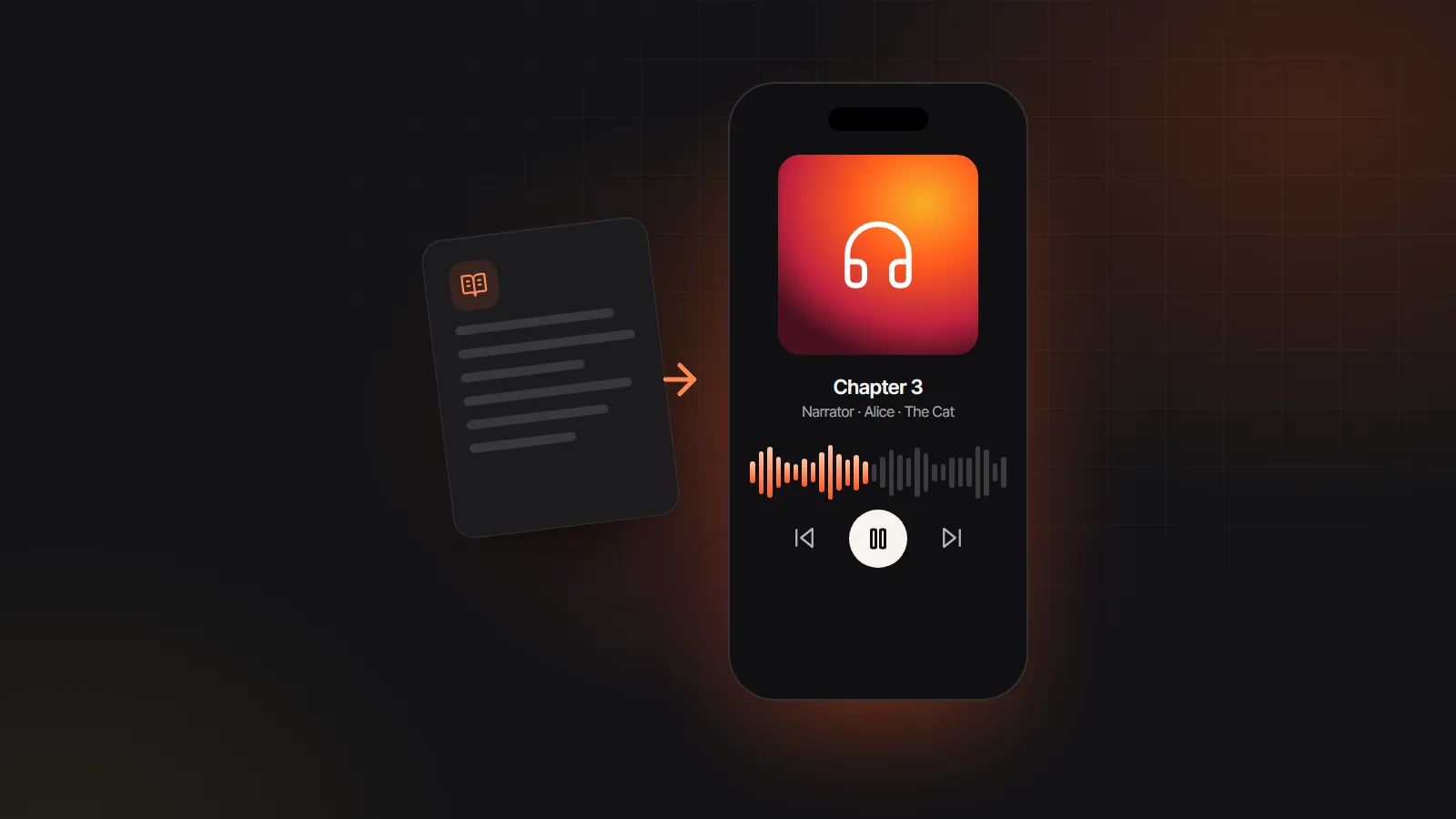
With the AI audiobook generator on this site you upload EPUB, PDF, DOCX, TXT or Markdown, the chapters are found for you, every speaking character gets a voice, and you export chapter MP3s, a ZIP or one M4B with chapter markers. Importing and casting are free; generating audio uses credits. Narrate only what you have the right to: your own writing, a public domain classic, or a DRM-free copy for private listening.
MP3 to M4B: binding chapters into one audiobook file
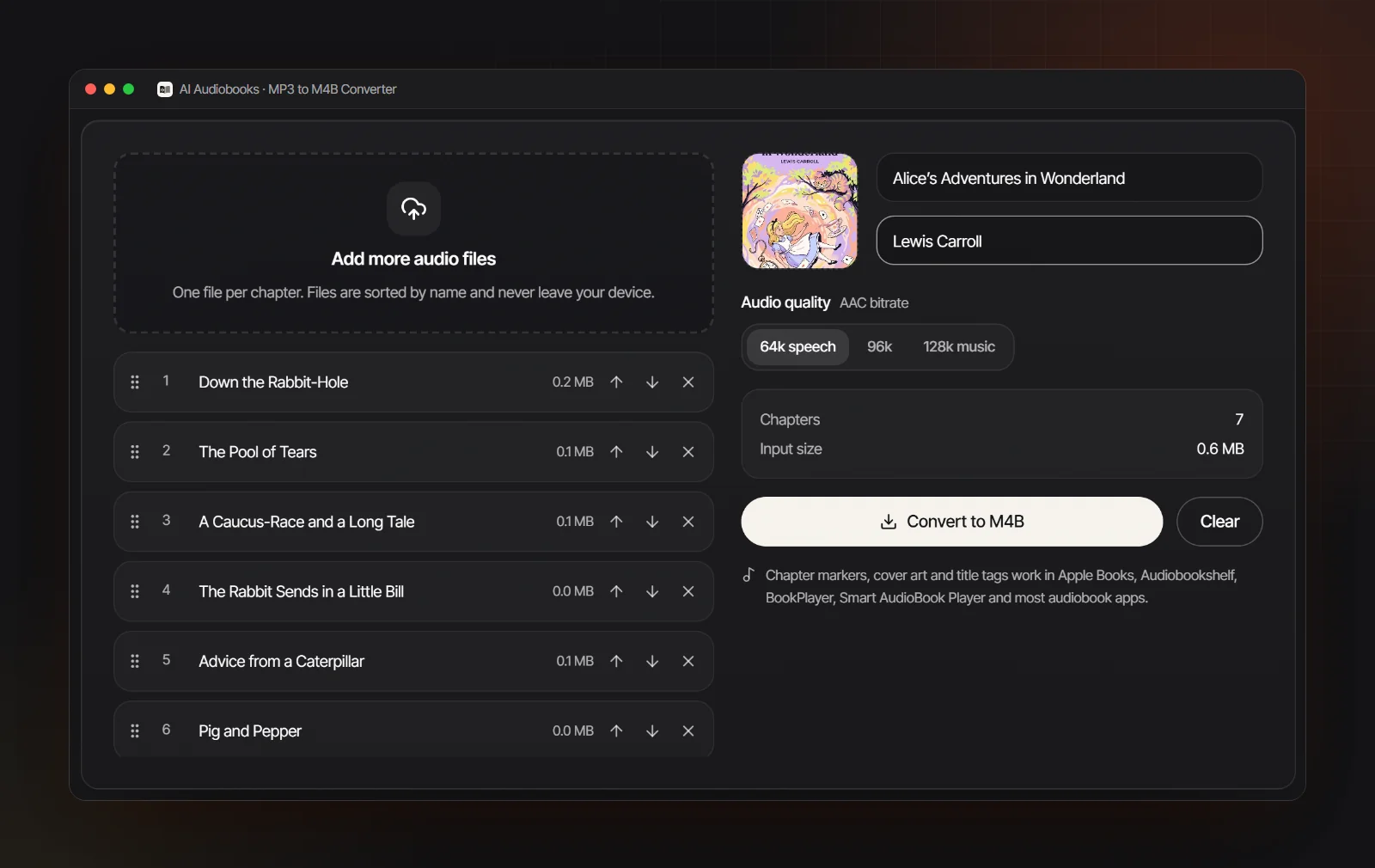
Binding is the conversion most people mean. You have a folder of chapter MP3s (your own recording, an AI export, a public domain reading) and want one file that an audiobook app treats as a book, with a chapter list, a cover on the lock screen and a saved position. That file is an M4B, and what is an M4B file shows what sits inside it.
Any binder does four things: it decodes each MP3 and encodes it again as AAC, adds a chapter marker where each file starts, embeds the cover and writes title and author tags. Because of that second encode, never pick a higher bitrate than the source; for a single voice, 64 kbps AAC is plenty.
You can bind on the desktop with apps such as Audiobook Builder on the Mac or AudioBookConverter, a free, open source app for Windows, Mac and Linux at the time of writing. On the command line, ffmpeg and m4b-tool do it with a script. In a browser, nothing needs installing and the files stay on your device. Audiobook Builder alternatives compares every route in detail.
M4B to MP3: splitting a book at its chapters
Going the other way is splitting: one M4B in, one MP3 per chapter out, usually for a car stereo, an old MP3 player or a store that wants chapter files. ffmpeg, the free command line engine behind many audio tools, does it in two moves: read the chapter times, then cut each chapter out.
| Goal | Command | What happens to the audio |
|---|---|---|
| List the chapters | ffprobe -v error -show_chapters book.m4b | Nothing yet. It prints every chapter’s start_time, end_time and title, in seconds. |
| One chapter as MP3 | ffmpeg -i book.m4b -ss 1290 -to 2375 -vn -map_chapters -1 -c:a libmp3lame -b:a 64k 02.mp3 | Re-encoded. The AAC audio is decoded and encoded again as MP3, a small second generation loss. |
| One chapter, no quality loss | ffmpeg -i book.m4b -ss 1290 -to 2375 -vn -map_chapters -1 -c:a copy 02.m4a | Copied. The AAC stream is cut, not encoded again, so quality is untouched, but the result is M4A rather than MP3. |
Repeat the cut for each chapter with its own start and end times, or loop over the list in a script; m4b-tool can split by chapter in one command. Putting -ss after -i keeps cuts exact; -vn leaves out the cover, which ffmpeg treats as a video stream.
WAV to MP3: compressing masters for spoken word
WAV is uncompressed: about 635 MB per hour in CD quality stereo and about 318 MB in mono. It is the right format for recording and editing and the wrong one for listening. Converting to MP3 discards detail the ear barely notices, and for a single voice it can discard a lot without harm.
Two settings matter more than which audiobook file converter you use. Mono: a narrator is one voice in the center, so a stereo file doubles the size for nothing. Bitrate: 64 kbps mono MP3 sounds clear for speech; move up to 96 or 128 kbps when music or effects sit under the voice. In ffmpeg that is ffmpeg -i chapter01.wav -ac 1 -c:a libmp3lame -b:a 64k chapter01.mp3; in Audacity, export as MP3 and set the bitrate and channels in the export dialog.
If the files are going to a store, read its audio spec before you encode. ACX, for example, asks for constant bitrate MP3 at 192 kbps or higher and 44.1 kHz at the time of writing, and other stores and distributors publish their own requirements. Encode store files from the WAV master, never from a smaller MP3.
Bitrate and quality: what a speaking voice needs
Approximate size per finished hour. Size follows bitrate and running time, not the size of the files you start from.
| Setting | Size per hour | How a voice sounds | Use it for |
|---|---|---|---|
| MP3, 32 kbps mono | 14 MB | Understandable but thin and swirly | Squeezing a long book onto tiny storage |
| MP3, 64 kbps mono | 29 MB | Clear for one narrator | Personal listening, car stereos, USB sticks |
| AAC, 64 kbps mono (M4B) | 29 MB | A little cleaner than MP3 at the same rate | M4B audiobooks |
| MP3, 128 kbps | 58 MB | Transparent for nearly all speech | Narration with music or sound design |
| MP3, 192 kbps constant | 86 MB | No audible gain for a voice alone | Store uploads whose spec requires it |
| WAV, 16-bit, 44.1 kHz mono | 318 MB | Lossless | Recording, editing and masters |
Each lossy to lossy step loses a little more, so convert once, from the best source you have. Differences beyond bitrate are covered in M4B vs MP3.
DRM files: why AAX and AAXC stay with the store
Audiobooks bought from the big stores usually carry digital rights management. Audible downloads come as AAX or the newer AAXC files, encrypted and tied to your account, and many other stores keep their audiobooks inside their own apps instead of handing you a file. The book is licensed to you for playback in those apps and on approved devices.
Removing that protection is a different act from changing a format. It may break the store’s terms of service, and in some countries it may also break laws against circumventing copy protection, even for a book you paid for; the rules depend on where you live, and some places allow narrow exceptions. This is not legal advice, but it is why no tool on this site removes DRM or accepts AAX and AAXC files, and why no audiobook format converter recommended here does either.
What works instead: listen in the store’s own app, which typically handles offline downloads, chapters and playback speed. Buy from stores that sell DRM-free downloads (Libro.fm is broadly known for this at the time of writing, but check before you buy). Borrow through library apps. And for a public domain classic or your own manuscript, make a DRM-free audiobook yourself and play it in a compatible app; how to play M4B files lists the options by device.