Quick pick by platform
On a Mac and happy to pay once: Audiobook Builder is the classic choice. Free, on any computer, right now: the in-browser converter below, with nothing to install and files that never leave your device. Comfortable in a terminal or binding dozens of books: m4b-tool or ffmpeg. Already running Audiobookshelf: its built-in M4B tool binds books on the server. On Windows: pick one of the cross-platform routes.
What binding an audiobook actually does
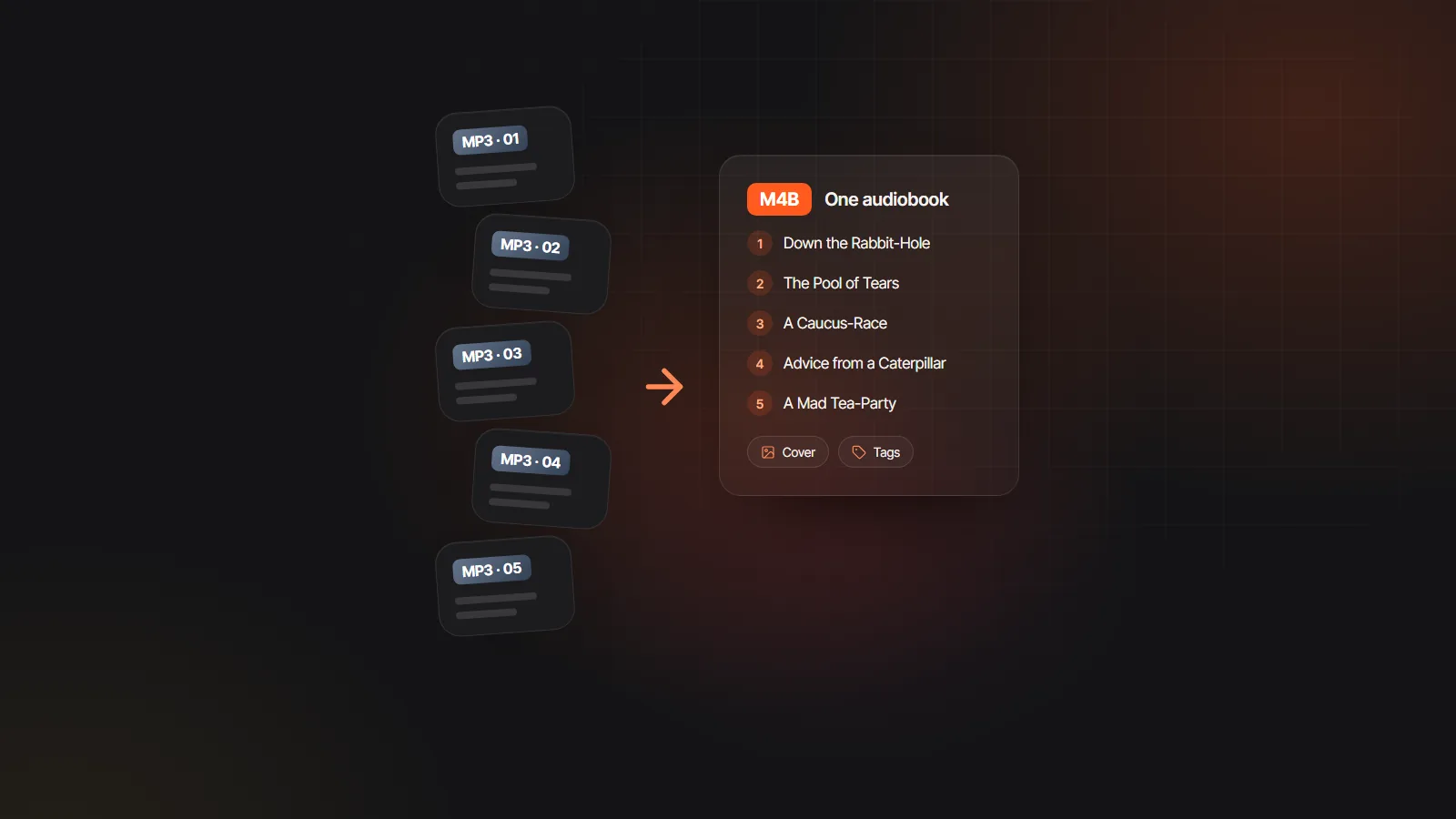
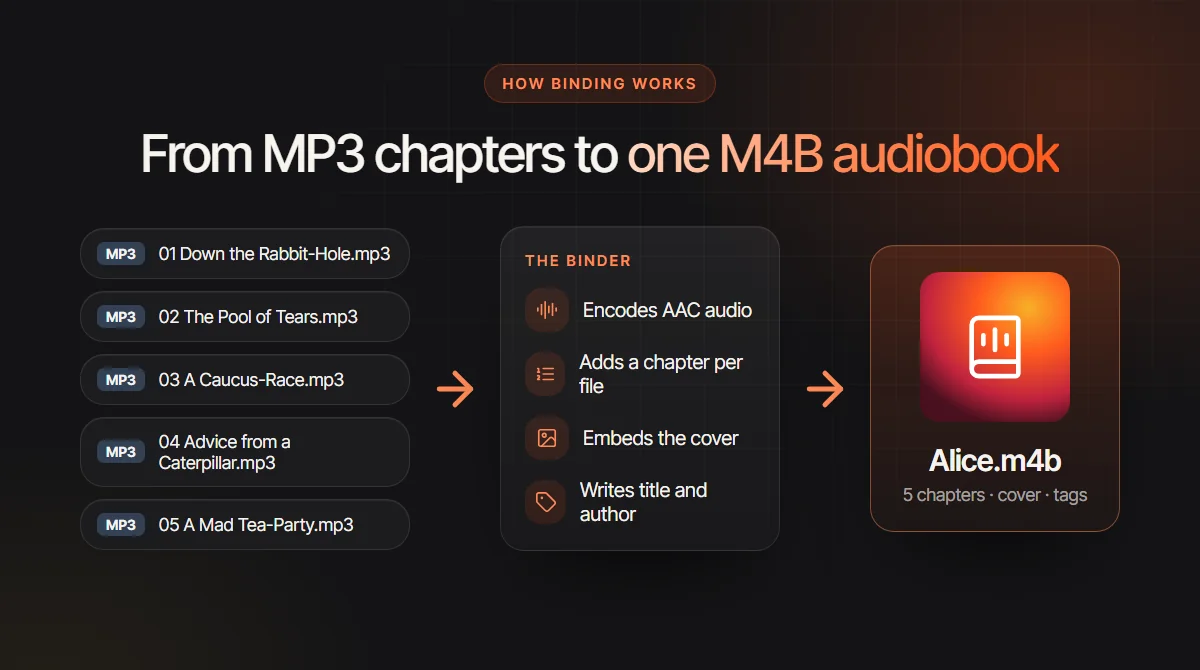
An audiobook binder takes a set of chapter files and produces one M4B, the audiobook flavor of the MPEG-4 format. Four things happen on the way. The audio is decoded and encoded again as AAC, which is what M4B players expect. A chapter marker is written where each source file starts, named after the file or a title you type. A square cover image is embedded. And tags for title, author and often narrator and year are written, so the book files itself correctly in a library app.
The payoff is on the listener’s side: one file that remembers its position, a chapter menu, a cover on the lock screen and no chance of tracks playing out of order on shuffle. M4B vs MP3 weighs that against the wider reach of plain MP3 files. What a binder cannot do is improve the sound. Re-encoding never adds quality the MP3s lacked, and no binder splits one long recording into chapters for you.
Desktop, command line and server binders
Prices, platform support and maintenance change over time, especially for small utilities, so read this as a snapshot from the time of writing and check each tool’s own page before you rely on it.
Audiobook Builder (Mac)
The veteran Mac app from Splasm Software, sold as a modest one-off purchase. Add files, folders or tracks, arrange and name chapters, set the cover and tags, then build. Mac only; check the current listing for price and macOS support.
Audiobook Binder (Mac)
A free, open source Mac utility, also written AudiobookBinder, that does the same job with a plainer window: drop in files, set author and title, bind. It has seen few updates in recent years, so test it on your machine first. Despite turning up in Windows searches, it is a Mac app.
Chapter and Verse (Windows)
A long-standing free Windows tool for joining MP3 files into a chaptered M4B with a cover. It is older software as well, so confirm it installs on your version of Windows before planning a big batch around it.
m4b-tool (command line)
An open source tool built on ffmpeg that merges a folder into one M4B, makes chapters from file names or tags and can adjust chapter marks afterwards. It runs on Mac, Linux and Windows, and a Docker image saves installing its dependencies by hand.
ffmpeg (command line)
The engine inside most binders. One command joins the files, encodes AAC and reads chapters from a small metadata file. It is free on every platform, but you write the chapter times yourself, as the recipe below shows.
Audiobookshelf (self-hosted server)
The self-hosted audiobook server includes an M4B maker in each book’s tools: it merges the files and writes chapters, cover and details from its library metadata, using the server’s own ffmpeg. Handy when the book already lives on your server.
Binding with ffmpeg: two text files and one command
This works with any recent ffmpeg build. Number the chapter files 01.mp3, 02.mp3 and so on in one folder, then create two small text files next to them.
| Piece | What to write |
|---|---|
| files.txt | One line per chapter, in reading order: file '01.mp3', then file '02.mp3', and so on. |
| Chapter times | Read each length in seconds with ffprobe -v error -show_entries format=duration -of csv=p=0 01.mp3, then keep a running total in milliseconds. |
| chapters.txt | ;FFMETADATA1 on the first line, then title= and artist= for the book. Add one [CHAPTER] block per file with TIMEBASE=1/1000, START=0, END=1290000 and title=Down the Rabbit-Hole; the next block starts at 1290000. |
| The command | ffmpeg -f concat -safe 0 -i files.txt -i chapters.txt -map 0:a -map_metadata 1 -map_chapters 1 -c:a aac -b:a 64k book.m4b |
| Adding a cover | Add -i cover.jpg after the other two inputs, then -map 2:v -c:v copy -disposition:v:0 attached_pic before book.m4b. |
The concat step expects every file to share one format, sample rate and channel count, so convert stray files first. m4b-tool works out the chapter times for you.
Each audiobook builder alternative side by side
Third-party columns are general descriptions at the time of writing; confirm versions and platform support on each project’s page.
| Free MP3 to M4B converter | Audiobook Builder | Audiobook Binder | m4b-tool and ffmpeg | Audiobookshelf | |
|---|---|---|---|---|---|
| Runs on | Any modern browser on a computer | Mac | Mac; check your macOS version | Mac, Windows and Linux | Your own server, used through its web app |
| Price | Free, no account | One-off purchase; check the listing | Free, open source | Free, open source | Free, open source |
| Setup | None; a 31 MB engine loads on first use | App install | App install | ffmpeg, plus PHP or Docker for m4b-tool | Server install |
| Chapters | One per file, renamed in the list | One per file, editable | One per file | File names or tags (m4b-tool), a metadata file (ffmpeg) | From the files or its chapter editor |
| Cover and tags | JPG or PNG cover, title, author | Cover and full tags | Cover, title, author | Anything you script | From library metadata |
| Mixed formats | MP3, M4A, AAC, WAV and OGG in one book | Common audio formats | Common audio formats | Yes with m4b-tool; convert first for ffmpeg concat | Common audio formats |
| Best for | One book, now, on any computer | Frequent binding in a polished app | Simple free binds | Batches and automation | Libraries already on a server |
Bind your files in five minutes
Here is the in-browser route with the free MP3 to M4B converter, the quickest audiobook builder alternative when you have one book to finish. The audio stays on your device, and the only wait is the encoder download the first time.
- 1
Number the files
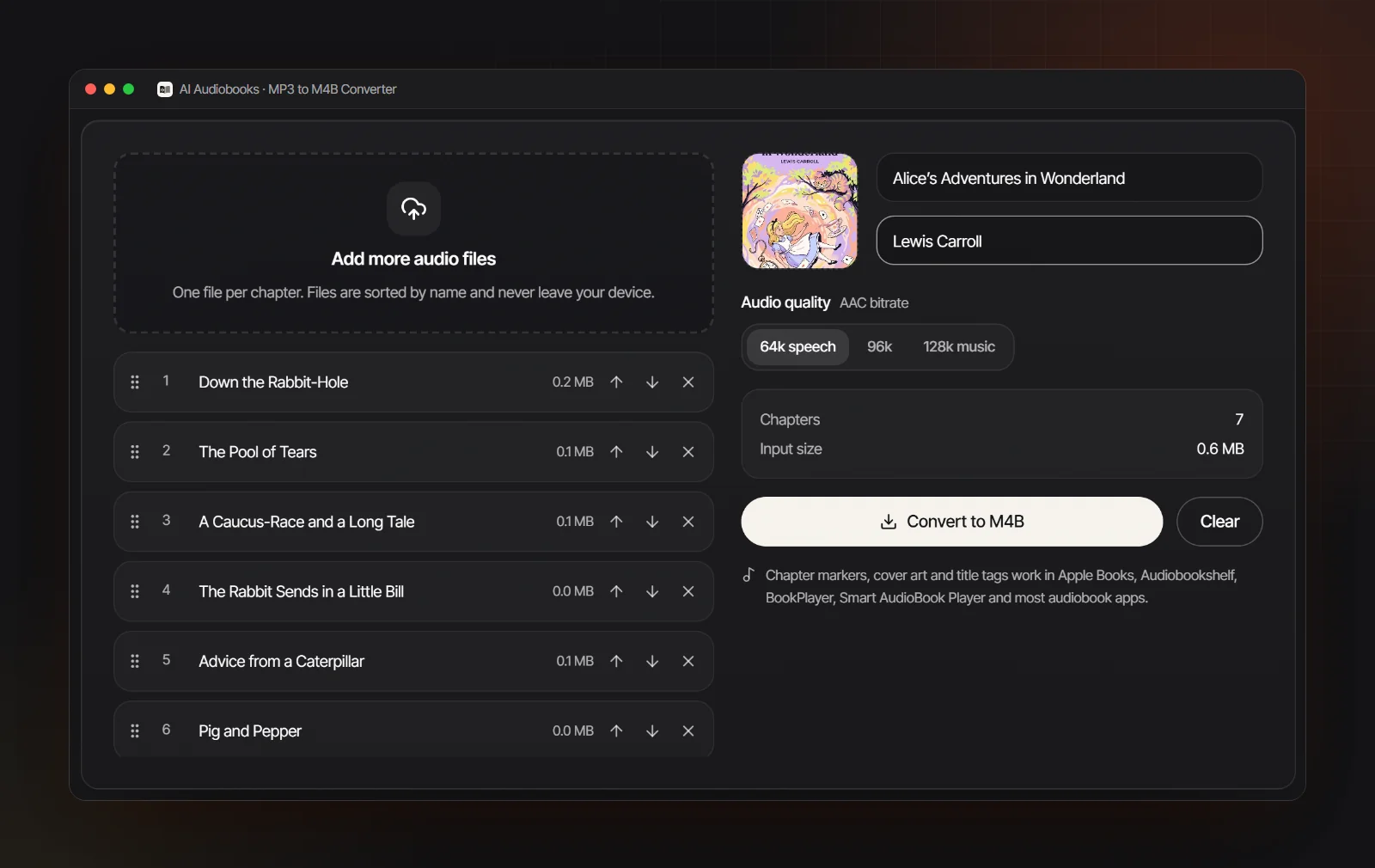
Rename chapters with leading zeros, such as 01 Down the Rabbit-Hole.mp3. The converter already sorts numbers the way people do, putting 2 ahead of 10, but numbered names keep every tool and folder view in step.
- 2
Drop them in and check the order
Add the whole folder at once. Formats and sample rates can be mixed, because each chapter is encoded on its own before they are joined. Drag rows or use the arrows to fix the order.
- 3
Name each chapter
Each chapter starts out named after its file, minus the track number. Click a name to edit it; this is the text listeners see in their chapter menu, so “Chapter 7: A Mad Tea-Party” beats “track07”.
- 4
Add the cover, title and author
Click the cover square for a square JPG or PNG, then type the title and author. The audiobook cover size guide lists the pixel sizes stores and players expect.
- 5
Pick 64k and convert
64 kbps AAC is plenty for speech; choose 96k or 128k only when music matters. Press Convert to M4B, save the file, then open it in a player and skip through two or three chapters before you share it.
Troubleshooting a bound M4B
Most problems show up the first time you open the book in a player, and each has a known cause.
Chapters in the wrong order
Some tools sort names as plain text, which puts 10 before 2. Use leading zeros or reorder by hand before binding. Once the M4B exists, the reliable fix is to bind it again.
Chapter names read “Track 1”
The binder took titles from empty tags or raw file names. Rename chapters before converting, or edit them afterwards with a tool that handles MP4 chapters, such as m4b-tool or Audiobookshelf’s chapter editor.
The cover does not show
Use a square JPG or PNG of sensible size rather than a huge print file. Players also cache artwork, so remove and re-add the book, or restart the app, before deciding the file is at fault.
The file is huge
Output size depends on bitrate and length; how big the source MP3s were does not matter. At 64 kbps speech uses roughly 29 MB an hour, putting a 10 hour book near 290 MB; at 128 kbps it doubles. Rebind at 64k when space matters.
Which bitrate to choose
Never go above the source: a 64 kbps MP3 bound at 128k only gets bigger. One narrator sounds clean at 64k, full-cast books with sound effects suit 96k, and 128k is for music-heavy productions.
It shows up as music
Check that the file ends in .m4b, not .m4a, and play it in a dedicated audiobook player, not the music app. How to play M4B files covers the right app for each device.
Skip binding when you start from text
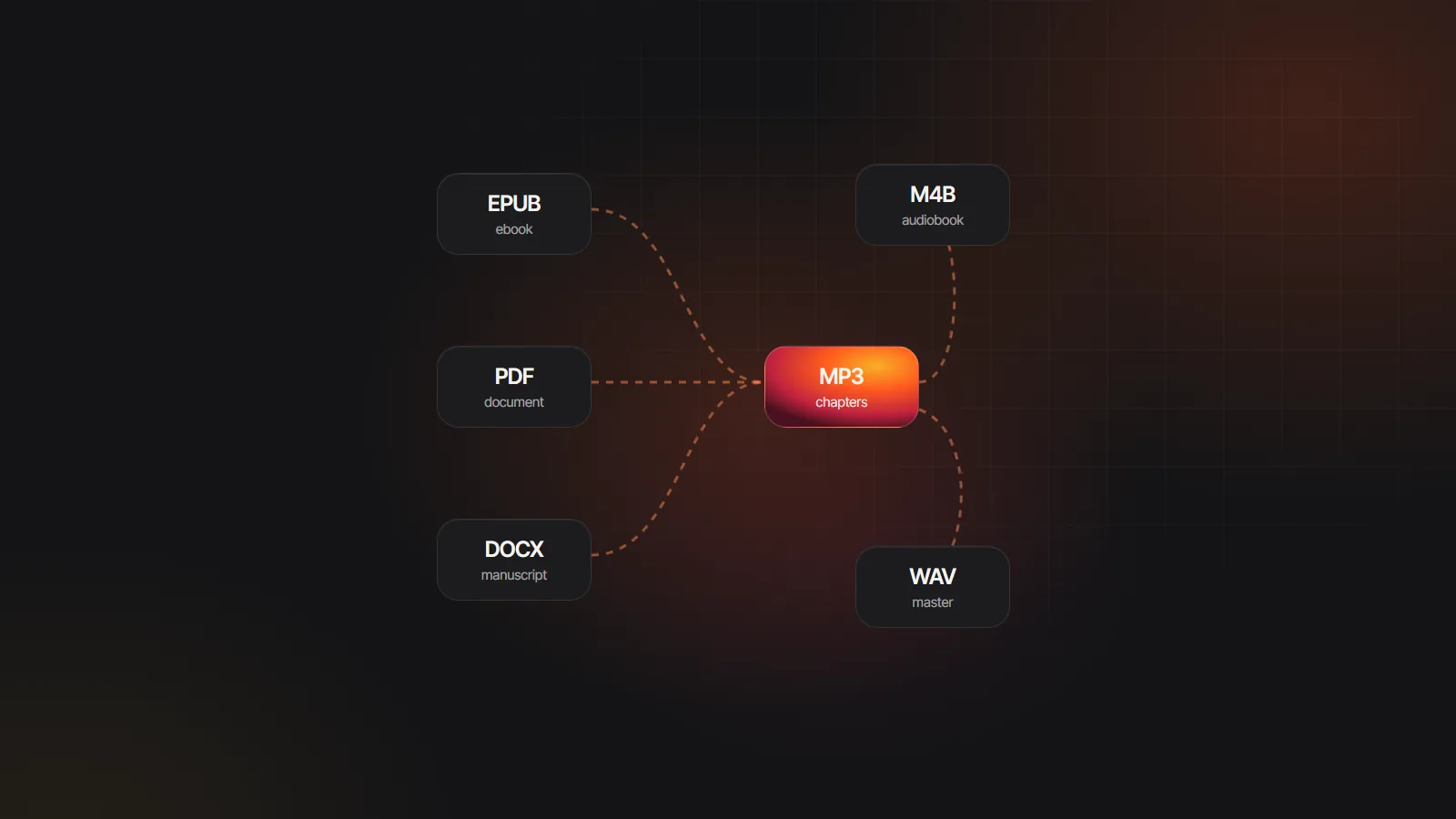
Binding exists because recordings arrive as separate chapter files. Start from a manuscript instead and there is nothing to bind: the M4B audiobook maker narrates a book chapter by chapter and exports a single M4B carrying chapter names, the cover and book tags, or an MP3 per chapter when a store wants separate files. Keep chapters at a comfortable length while you are at it; audiobook chapter length suggests targets.
That route suits authors with a finished manuscript and readers turning a public domain classic into a listenable edition. Upload an EPUB or DOCX to the AI audiobook generator, give each character a voice and download the result. Still choosing a tool for that job? Apps that turn books into audiobooks compares readers with makers, and the audiobook converter guide maps every other format change.