The quick verdict
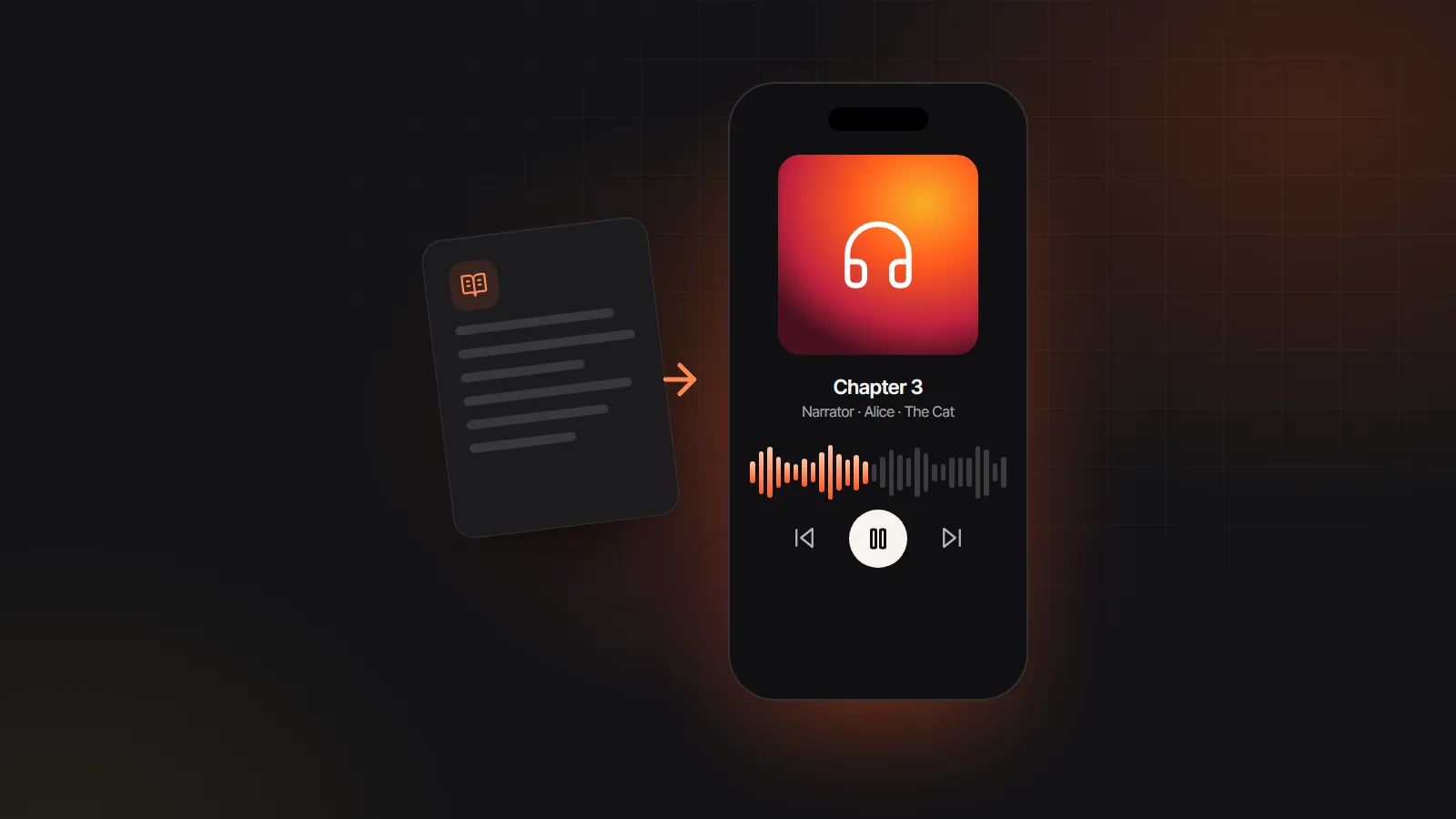
To listen to a book or document today, a read-aloud app is enough, and the one already in your browser or phone costs nothing. To end up with an audiobook file you can keep, share or sell, with chapters and a different voice for each character, you need an audiobook maker that renders the whole book to M4B or MP3. Plenty of people use both: a reader for articles and study notes, a maker for the books that deserve a proper edition.
The read-aloud apps people usually mean
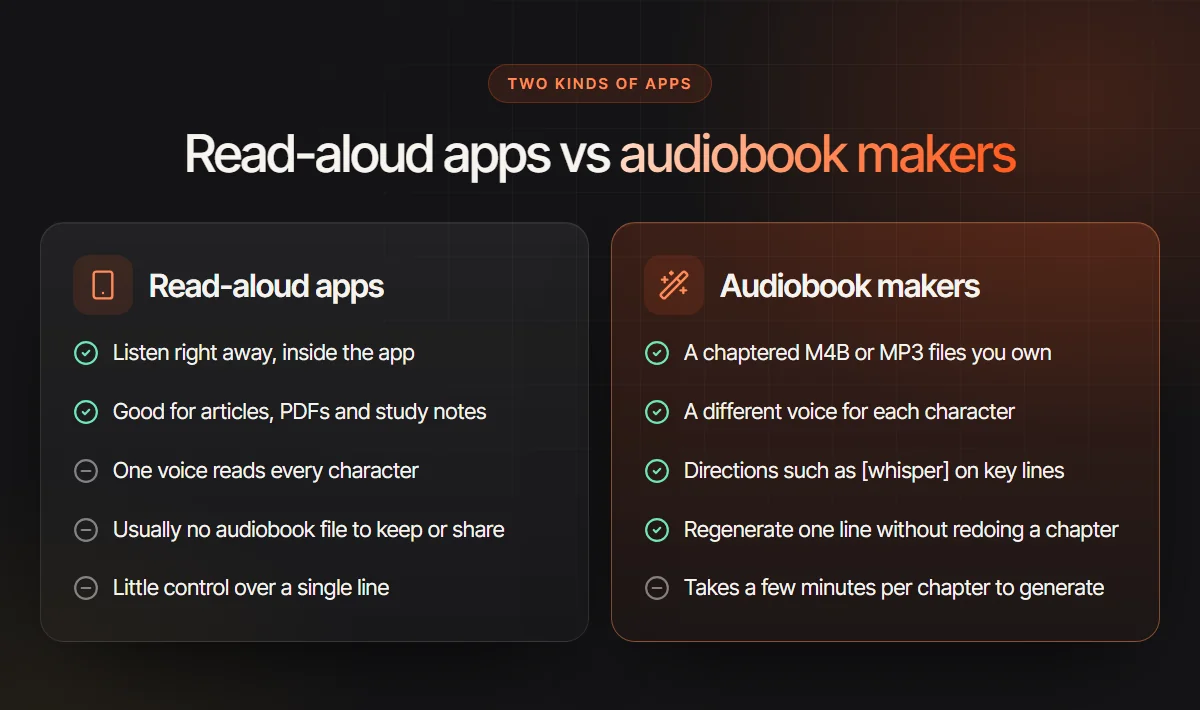
A read-aloud app turns text into speech while you listen. Nothing is produced: the app is the player, and one voice reads narration and dialogue alike. Here is what the best known ones are broadly known for at the time of writing. Features and plans change, so check each app before you subscribe.
Speechify
Known for fast listening across phone, browser extension and desktop, highlighting each word as it is spoken. It can also scan printed pages with a phone camera. Basic voices are free; the more natural ones sit behind a subscription.
ElevenReader
The reading app from ElevenLabs. Load an EPUB, PDF, article or pasted text and hear it in ElevenLabs voices. It also carries AI-narrated audiobooks that authors publish through ElevenLabs. Free listening has limits, with paid plans above that.
NaturalReader
One of the longest running text to speech readers, on the web, desktop and mobile. Personal plans are for listening; separate commercial plans cover voiceover audio you can download and publish. Confirm which plan includes MP3 export before relying on it.
Voice Dream Reader
A reader for Apple devices with a loyal following among blind, low vision and dyslexic readers, thanks to deep control over pacing, highlighting and voices. It opens many file types and links to accessible libraries such as Bookshare. Check its current pricing model.
Microsoft Edge Read Aloud
Built into the Edge browser. It reads web pages and PDFs opened in Edge in natural online voices, highlighting the sentence it is on. Nothing is saved: close the tab and the audio is gone.
Kindle, Apple Books and Google Play Books
The ebook apps you already own can speak too, through text to speech, Speak Screen on Apple devices or the Read aloud mode in Play Books. They cost nothing, read in one system voice and work on most store purchases, unless the publisher has switched text to speech off.
Six things to test before you choose
Run every candidate through the same short test: a public domain chapter with plenty of dialogue, such as the Mad Tea-Party from Alice in Wonderland. These six checks separate apps that read a book from apps that turn books into audiobooks.
Voices per character
Play a page of dialogue. If the Hatter, Alice and the narrator share one voice, you are using a reader. A maker casts each speaker separately, so a quick exchange stays easy to follow with your eyes closed.
A file you can keep
Look for an export button before you pay. Audio that streams inside an app ends with the subscription. An MP3 or M4B plays in any player, car stereo or home library server, and you can hand it to someone else.
Real chapters
Open the result in an audiobook player. Chapters taken from the table of contents let listeners skip, resume and see how far they have to go. One endless track does not.
DRM limits
Store ebooks from Kindle, Apple Books or Google Play are locked to their own app. Only that app’s own read-aloud can voice them, if the publisher permits it. Every other tool needs a DRM-free file.
Cost model
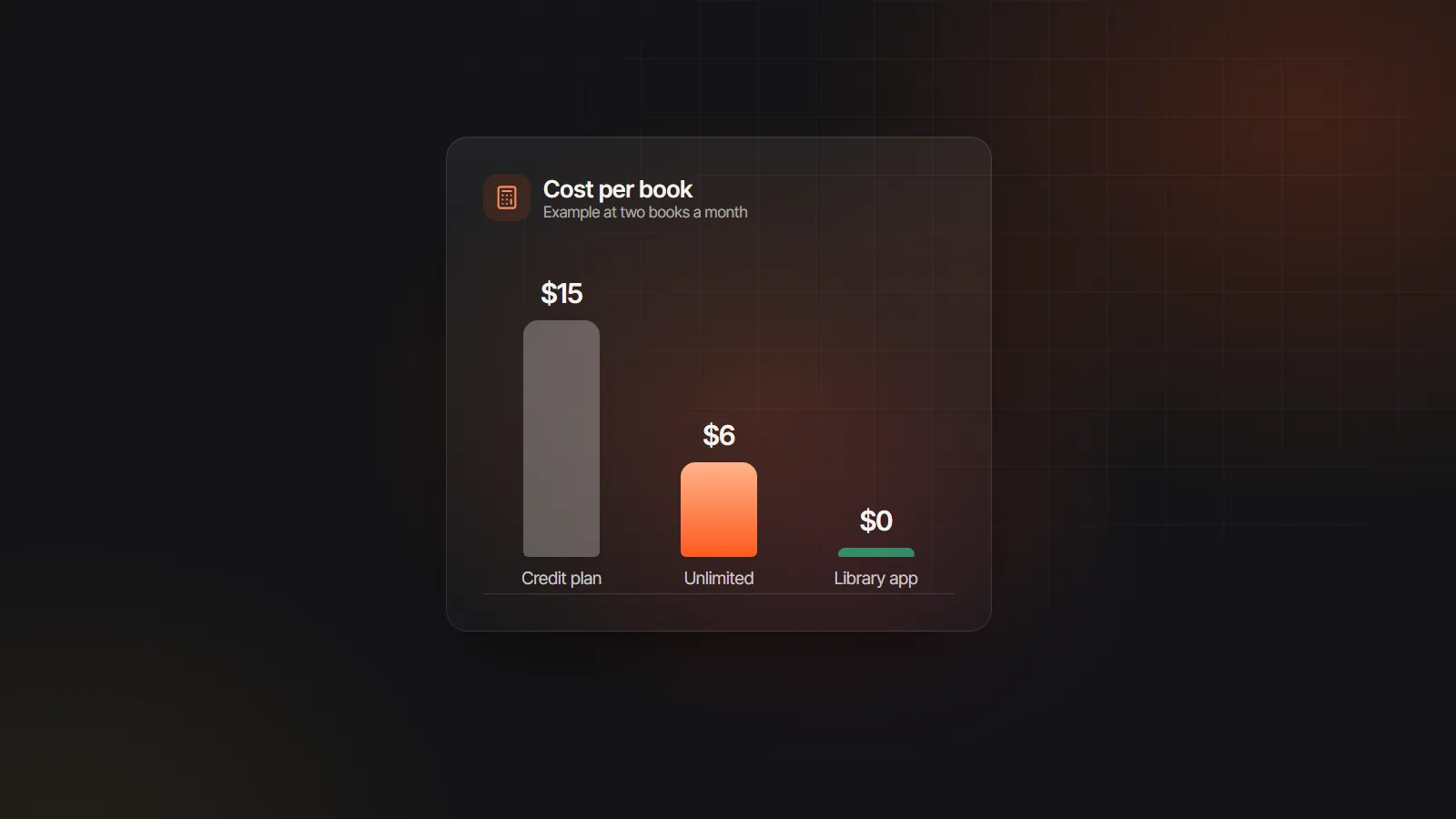
Readers charge a subscription for listening time or premium voices. Makers charge per book produced, usually per character or per finished hour. Work out what one whole book costs in each before comparing monthly prices.
Offline listening
Natural cloud voices often need a connection, and some apps only cache audio on paid plans. A downloaded audiobook file plays on a plane, with no account and no signal.
How the main apps compare
If you want an app to turn books into audiobooks you can keep, the export row matters most. Other columns describe what each app is broadly built for at the time of writing; confirm details such as export and offline use on each app’s own site.
| AI Audiobooks | Speechify | ElevenReader | NaturalReader | Built-in read aloud | |
|---|---|---|---|---|---|
| Made for | Making audiobook files to keep | Listening on any device | Listening in ElevenLabs voices | Listening, plus commercial voiceover | Listening inside the ebook app or browser |
| Voices per book | Narrator and up to 10 named roles, plus Other voices | One chosen voice | A chosen voice; check for newer options | One chosen voice | One system voice |
| File you keep | MP3 per chapter, ZIP or M4B | Playback in the app; check plans | Playback in the app | MP3 download on some plans | None |
| Chapters | Taken from the EPUB table of contents or document headings | Follows the document | Follows the document | Follows the document | Follows the book |
| Store books with DRM | Not supported | Generally not | Generally not | Generally not | Yes, if the publisher enables it |
| Shaping a line | Bracket directions and one-line regenerate | Speed and voice | Speed and voice | Speed, voice and pronunciation | Speed and voice |
| Cost model | Credits per 1,000 characters; import free | Free tier plus subscription | Free tier plus subscription | Free tier, personal and commercial plans | Free |
| Offline | Downloaded files play anywhere | Check the plan | Check the plan | Check the plan | Depends on the voice |
For one-to-one comparisons, see the Speechify alternative and NaturalReader alternative pages.
Which kind of app fits you
Most people only need one of the two. Be honest about which.
A read-aloud app is the better pick if
- You want to get through articles, PDFs, email or study notes today, often at 1.5x speed or faster
- The book is a Kindle, Apple Books or Google Play purchase, which only its own app can read aloud
- You need reading support, say for dyslexia or low vision, with each word lit up as you hear it
- Nobody but you will ever hear the audio
Choose an audiobook maker if
- You wrote the book and want an audiobook edition to share or sell
- The story is full of dialogue and each character should sound like someone
- You love a public domain classic that no store sells in an edition you enjoy
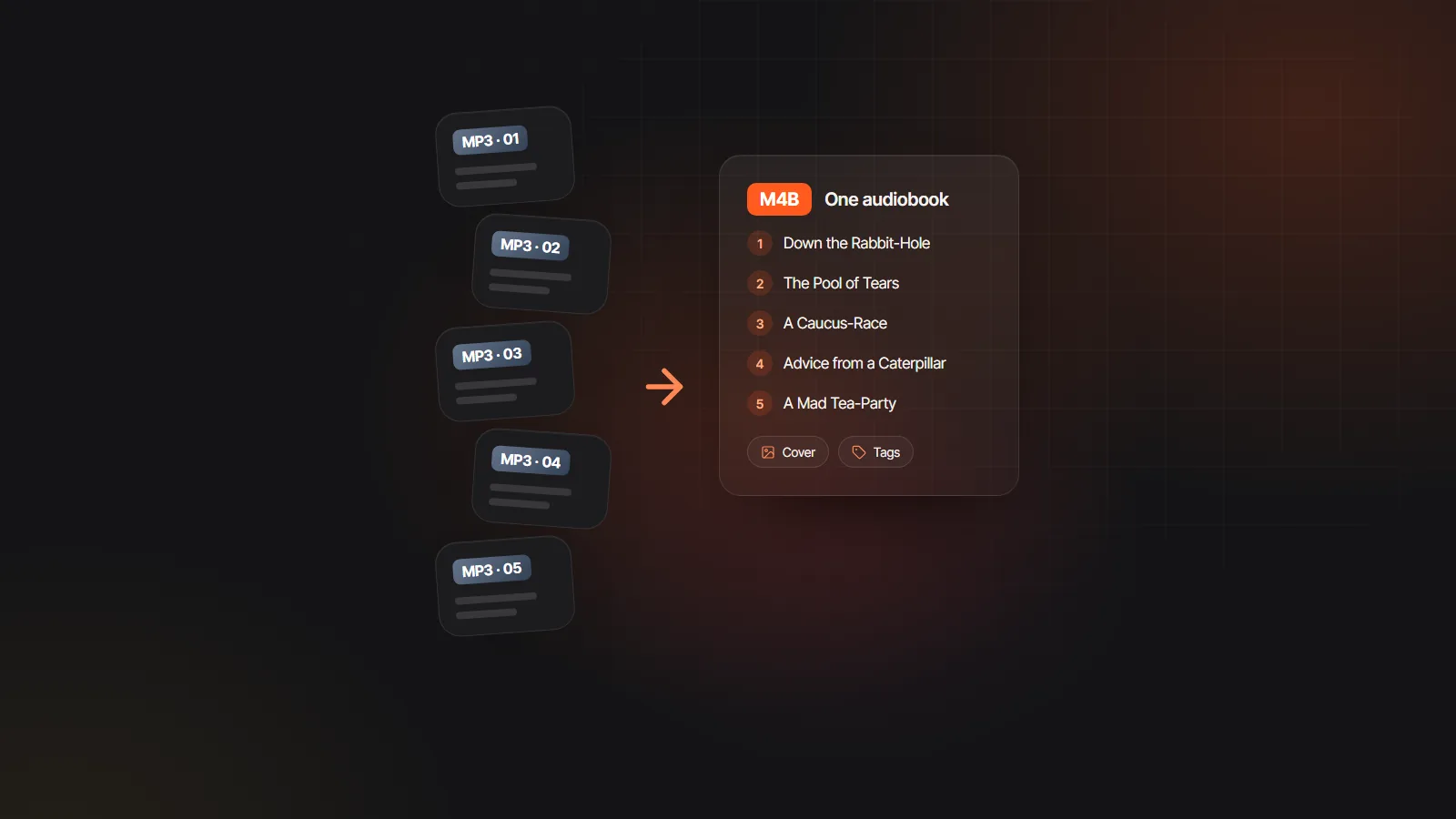
- Listeners need chapters, a cover and a file that works in compatible audiobook apps
Turn your book into an audiobook file, step by step
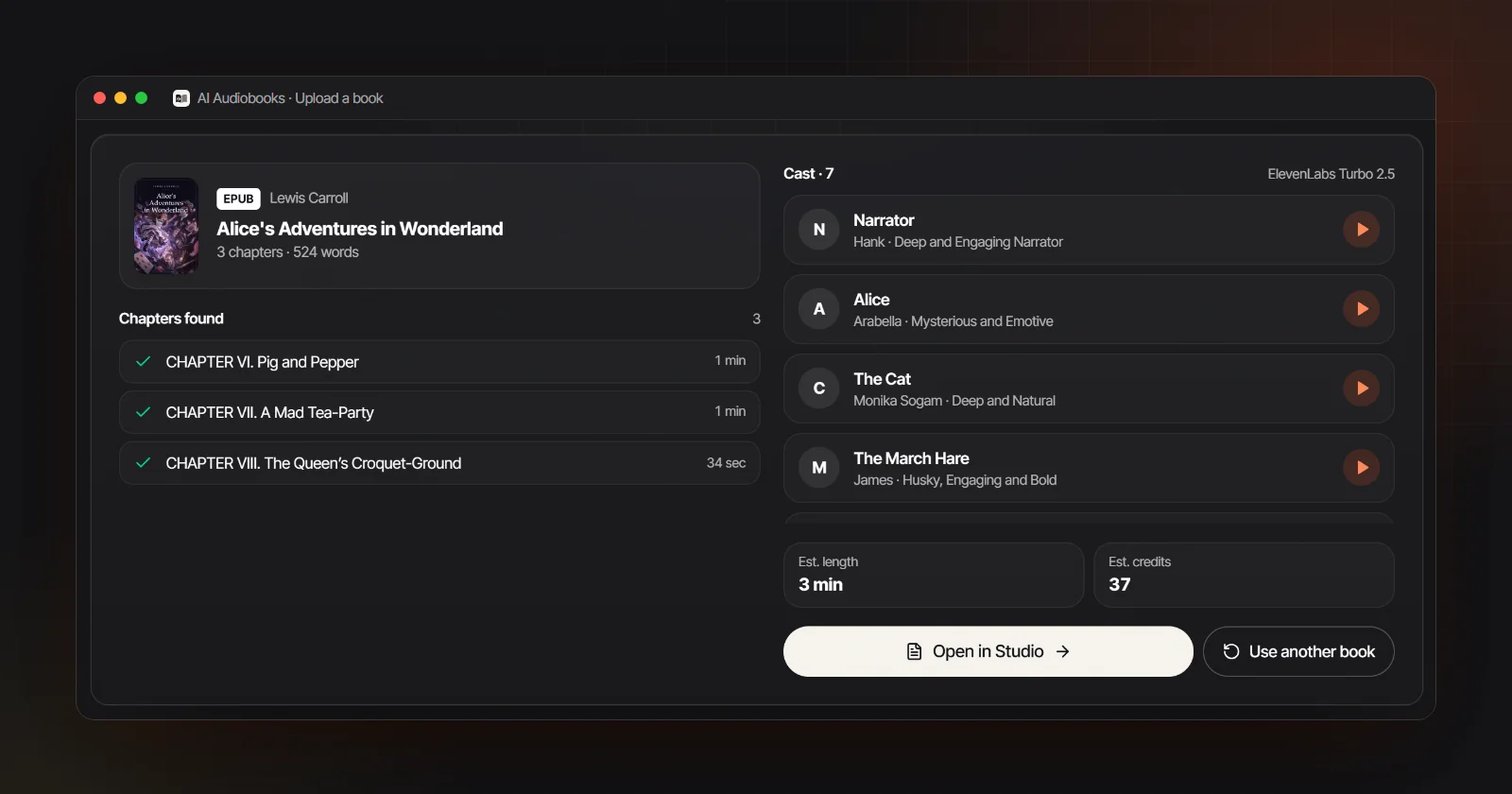
Here is the maker route using the AI audiobook generator here, shown with Lewis Carroll’s Alice’s Adventures in Wonderland, a public domain EPUB. It works the same way for your own manuscript, and the book to audiobook page covers authors’ files in more depth.
- 1
Start from a DRM-free file
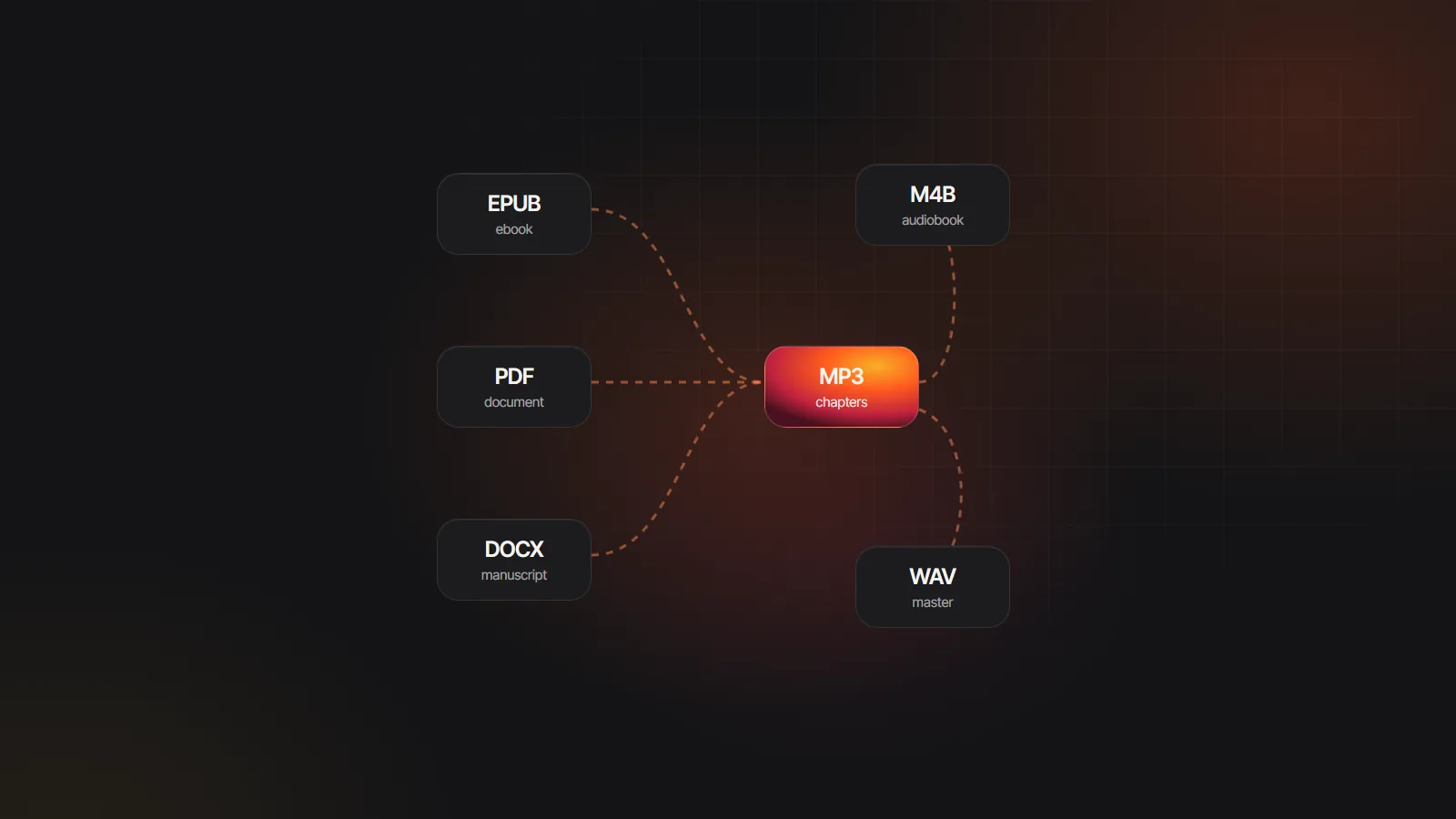
An EPUB is ideal because its table of contents becomes the chapter list; the EPUB to audiobook converter reads it directly. DOCX with headings, TXT, Markdown and text PDFs up to 30 MB work too, or paste the text. Scanned pages need OCR elsewhere first, and PDF to audiobook explains which PDFs qualify.
- 2
Upload, then check the chapter list
The file opens and splits into chapters inside your browser; no text leaves your computer until you press generate. Front matter such as the copyright page, contents and Gutenberg license is set aside, so check that the list starts where the story does.
- 3
Review the cast
The app spots who is talking from dialogue tags like “said the Hatter” and gives each speaker a voice, with gender matched when the text signals it. Swap any of them from 137 voices, and pick a narrator you could listen to for hours.
- 4
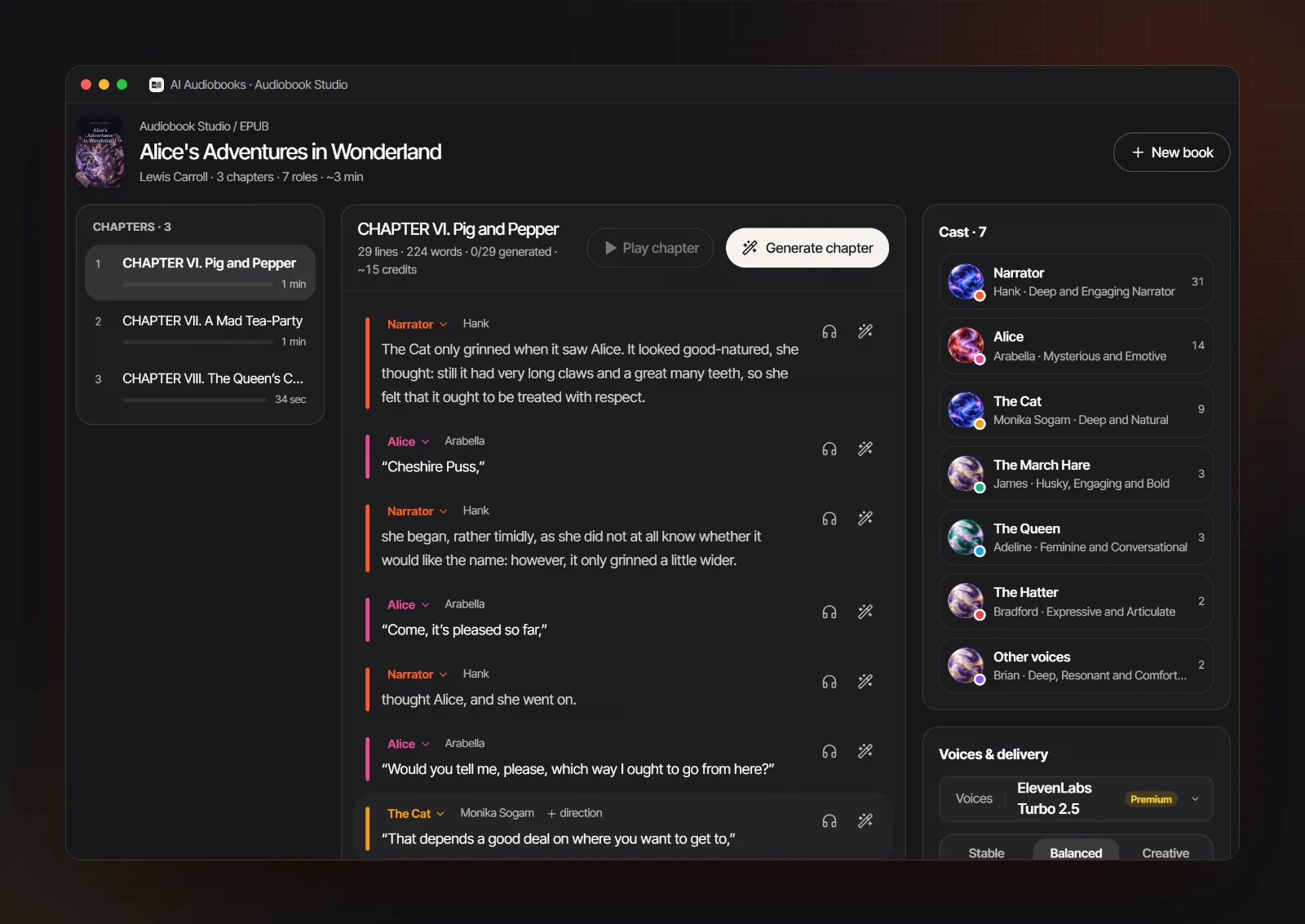
Generate one chapter and listen
A short sample can use gift credits for new accounts made with Google sign-in, paid with starter credits. Listen with the text open. Where a line falls flat, add a direction such as [whisper] or [furious] and regenerate just that one line while everything around it stays put.
- 5
Export with a cover
Download one M4B with named chapter markers, cover and title tags, separate chapter MP3s, or one ZIP holding all of them. EPUB covers are picked up automatically, and you can add a JPG or PNG to any project. M4B vs MP3 explains which file suits which player.
Costs, rights and when to skip both
What a book costs to make. Readers charge for listening; an app that turns books into audiobooks charges once per book made. Here, uploading, chapter splitting and casting cost nothing, and generation is billed in credits per 1,000 characters. Standard voices work out at about $9 to $12 for each finished hour of audio, which puts a typical 9 hour novel in the $80 to $110 range.
Whose book you can make. A reader voices anything you open, for you alone. A file is different. Your own writing and public domain classics are open to you; turning a DRM-free ebook you bought into audio is fine for your own ears but nothing more; sharing or selling needs the audio rights. Audiobook rights sets out where the lines sit.
When neither is the answer. For a current bestseller, the professionally narrated edition is usually the better listen, and a subscription or library app is the cheaper way in; best audiobook subscription works out the cost per book. And if you already have chapter MP3s from a recording or another tool, all that is left is binding them into one file, which Audiobook Builder alternatives covers.